

How to Maximize Battery Life on Your Android and iPhone Devices
In our digital-first world, keeping your smartphone battery healthy is essential. Whether you use Android or iPhone, a few simple yet effective strategies can make your battery last longer every day—no tech expertise required. This practical guide will teach you how to maximize battery life by tweaking settings, optimizing usage, maintaining your device, and managing apps smartly.
1. Optimize Device Settings
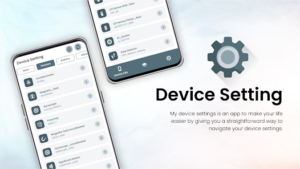
-
Adjust Screen Brightness: Lower your screen brightness or enable auto-brightness to save energy.
-
Activate Dark Mode: Both Android and iPhone devices with OLED screens use less power in dark mode.
-
Shorten Auto-Lock/Sleep Time: Set your display to turn off automatically after a short period of inactivity.
-
Disable Unused Connectivity: Turn off Wi-Fi, Bluetooth, and GPS when not needed to prevent unnecessary battery drain.
2. App Management

-
Check Background Activity: Review which apps run in the background and restrict unnecessary ones. Both Android and iOS let you view battery usage by app in the settings.
-
Manage App Permissions: Limit permissions for apps that don’t need to constantly access location, camera, or background data.
-
Update Apps Regularly: Updates often include bug fixes that can improve battery performance.
3. System Maintenance

-
Keep Your OS Updated: Manufacturers release updates to improve efficiency and fix battery-draining bugs.
-
Restart Regularly: A simple restart clears temporary files and frees up resources.
-
Clear Cache: On Android, periodically clearing cache data helps reduce background activity. On iOS, offloading unused apps will help.
4. Charging Habits

-
Don’t Overcharge: Unplug your device at 100% to avoid battery stress. Modern devices manage this better, but it’s still a good habit.
-
Avoid Extreme Temperatures: High heat or intense cold can degrade battery performance.
-
Use Official Chargers: Cheap knockoffs might not regulate power well and can harm your battery.
5. Advanced Features to Use

-
Battery Saver/Low Power Mode: Enable these built-in settings when your battery is running low or you need your device to last longer.
-
Adaptive Battery (Android) & Optimized Battery Charging (iPhone): Enable these features for smarter battery management based on your usage patterns.
6. Monitor Battery Health

-
iPhone: Go to Settings > Battery > Battery Health to monitor your battery’s maximum capacity.
-
Android: Many brands include a device care section with similar insights, or check via manufacturer’s apps.