
In today’s digital age, protecting your privacy and data on your Android device is more important than ever. With increasing concerns about data breaches, intrusive ads, and online tracking, taking control of your phone’s privacy is essential. The good news is that you don’t need to invest in expensive software or services to safeguard your information. Numerous free Android apps can help you secure your data, block unwanted ads, and manage app permissions effectively. In this guide, we’ll show you how to use these tools to enhance your Android device’s privacy.
Why Protecting Your Privacy on Android Matters

Android phones store a vast amount of personal data, from contacts and messages to location and browsing history. Without proper protection, apps and advertisers can collect and misuse this information. Protecting your privacy means preventing unauthorized access, reducing targeted ads, and securing your internet connection from eavesdroppers. Using free Android privacy apps is a practical first step toward digital safety.
Step 1: Use an Ad Blocker

Ads can be more than just annoying—they often collect data about your browsing habits and can even infect your device with malware. Installing a reliable free ad blocker helps block intrusive ads and stops trackers from gathering your information.
Some popular free ad blockers available on the Google Play Store include AdGuard and Blokada. These apps filter out ads across apps and browsers, improving your browsing experience while protecting your privacy.
To set up:
-
Download and install the ad blocker app.
-
Enable VPN-based filtering if prompted (this allows the app to block ads system-wide).
-
Customize your filter lists based on your preferences for maximum effectiveness.
Step 2: Set Up a Free VPN

A Virtual Private Network (VPN) encrypts your internet traffic and hides your IP address, making your online activities more private. This is especially useful when using public Wi-Fi networks, which can be vulnerable to hackers.
There are several reputable free VPN apps such as ProtonVPN and Windscribe that offer robust privacy features without compromising your security or slowing your connection.
To set up:
-
Install a trusted VPN app.
-
Create a free account if required.
-
Connect to a secure server location through the app interface.
-
Always ensure the VPN is active when browsing or using apps for enhanced privacy.
Step 3: Manage App Permissions
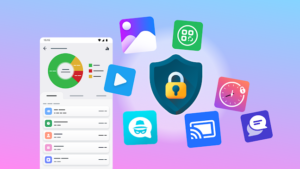
Apps often request various permissions that may not be necessary for their core functionality. These permissions can allow apps to access sensitive information such as your location, contacts, camera, and microphone. Reviewing and managing permissions regularly can prevent privacy violations.
How to manage app permissions:
-
Open your Android device’s Settings.
-
Navigate to Privacy > Permission Manager (location may vary slightly by device).
-
Review each category such as Location, Camera, Microphone.
-
Disable permissions for apps that don’t need access or that you don’t fully trust.
Additional Tips for Enhanced Privacy
-
Use secure messaging apps: Apps like Signal offer end-to-end encryption for private conversations.
-
Keep your Android updated: Regular system updates fix security vulnerabilities.
-
Enable two-factor authentication (2FA): Protect your accounts by adding an extra layer of security.
-
Clear browsing data: Regularly clear your cache and cookies to reduce tracking by websites.