

How to Automate Routine Work Using AI Productivity Apps
In today’s rapidly evolving digital age, the demand for efficiency has never been higher. Whether you’re running a business, managing a team, or juggling personal projects, routine tasks can eat up valuable hours. Enter AI productivity apps—smart tools designed to automate repetitive work, streamline workflows, and give you more free time. Below, we break down how to harness these apps to automate emails, scheduling, and everyday workflows effortlessly.
1. Automate Your Email Management

-
AI-Driven Email Assistants: Tools like Shortwave, Bardeen, and Flowrite leverage AI to draft, categorize, prioritize, and even respond to emails for you. They connect with platforms like Gmail and Outlook and use advanced algorithms to automatically sort messages, unsubscribe you from unwanted mail, or schedule sends—so your inbox doesn’t manage you.
-
Inbox Organization: Some apps, like SaneBox and Bardeen, can automatically summarize email threads, create follow-up reminders, and filter activities to keep your inbox focused on what matters most.
2. AI-Powered Scheduling

-
Smart Calendar Apps: Solutions like Motion and Trevor AI analyze your meetings, priorities, and habits to build an optimized daily schedule—auto-prioritizing tasks, integrating with email, and reshuffling as needs change. You’ll never miss a meeting and can devote more time to deep work.
-
Automate Booking & Reminders: These apps can send scheduling emails, propose times, or generate calendar events with a single click, drastically reducing back-and-forth communication.
3. Workflow Automation with No-Code AI Tools
-
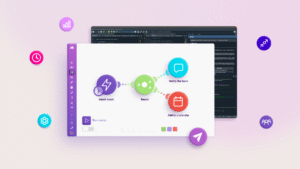
Zapier & Gumloop: With these popular automation platforms, you can connect thousands of apps—such as Slack, Google Workspace, Notion, and Trello—and automate virtually any recurring task. Set up multi-step workflows to move files, send notifications, update databases, or kick off projects based on triggers. AI integrations inside these apps even suggest improvements or automate content creation.
-
Lindy: As a more recent entrant, Lindy lets you build custom AI “agents” to handle complex workflows—from email triage to document management—without needing to code. Templates and drag-and-drop designs make advanced automation accessible to everyone.
4. All-in-One Knowledge and Project Management
-
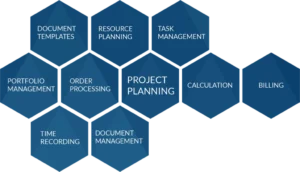
Notion AI: Notion isn’t just a note-taking app—it’s evolved into an AI-powered organizational system. It can summarize documents, convert rough notes into polished reports, suggest action items, and help teams collaborate seamlessly on projects, all while automating reminders and follow-ups.
5. Practical Steps to Get Started

-
Identify repetitive, time-consuming tasks: Emails, scheduling, and data entry are usually high-impact starting points.
-
Choose the right app for your needs: Consider integration options, AI capabilities, and ease of setup.
-
Set up automations: Start simple—like scheduling email summaries or auto-moving files. Gradually add more layers as you get comfortable.
-
Review and adjust: Regularly check your automations to ensure they’re delivering the results you want, and tweak settings based on evolving needs.
Extra Tips
-
Use tools with drag-and-drop interfaces or built-in AI prompts for the quickest workflow setup.
-
Integrate multiple apps for seamless end-to-end automation (e.g., link your AI calendar with your note-taking app).
-
Leverage AI for personalized content responses, meeting prep, or summarizing large amounts of data to accelerate decision-making.