
In today’s connected world, automating your smart home devices can transform your living space into a convenient, efficient, and personalized environment. Whether you’re a beginner or looking to enhance your existing setup, this guide will walk you through the essential steps to set up and automate your smart home devices for maximum convenience.
What Is Smart Home Automation?
Smart home automation means connecting your devices—like lights, thermostats, cameras, and speakers—to work together seamlessly based on your preferences, schedules, or triggers like your location or voice commands. Automation lets you save time, boost energy efficiency, and control your home remotely from your smartphone or smart assistant.
Step 1: Choose Your Smart Home Ecosystem
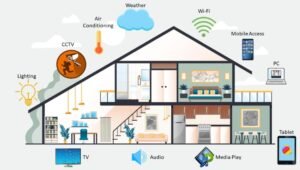
To get started, select a smart home ecosystem that matches your devices and preferences. The leading platforms are:
-
Google Home: Supports a wide range of brands and uses Google Assistant.
-
Amazon Alexa: Known for broad device compatibility and Alexa voice commands.
-
Apple HomeKit: Best for users deeply integrated into the Apple ecosystem and prioritizing privacy.
Choosing one ecosystem ensures smooth communication between devices and a centralized control app, making automation easier.
Step 2: Connect Your Devices
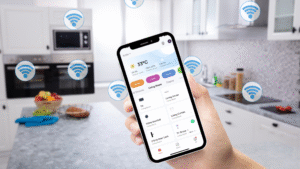
Once you have your ecosystem, start adding compatible devices: smart bulbs, plugs, cameras, thermostats, sensors, and more. Follow these tips:
-
Use the ecosystem’s app (Google Home, Amazon Alexa, or Apple Home) to discover and connect devices via Wi-Fi or Bluetooth.
-
Ensure each device is on the same Wi-Fi network as your phone for optimum control.
-
Name your devices clearly in the app to avoid confusion later.
Step 3: Create Automation Routines
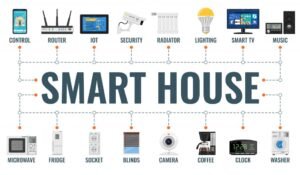
Automations let your devices perform tasks automatically based on triggers like time of day, your location, or other device actions. Here’s how:
-
Open the automation or routines section in your app.
-
Create simple schedules (e.g., turn on lights at sunset).
-
Set location-based triggers (e.g., turn off thermostat when you leave home).
-
Link devices (e.g., when a security camera detects motion, turn on hallway lights).
Experiment with combining conditions and actions to customize your home environment precisely.
Step 4: Use Voice Commands for Hands-Free Control

Most smart home platforms let you operate devices with voice assistants such as Google Assistant, Alexa, or Siri. Examples:
-
“Hey Google, turn off all the lights.”
-
“Alexa, set the thermostat to 72 degrees.”
-
“Hey Siri, lock the front door.”
Voice control boosts convenience and accessibility, especially when your hands are busy.
Step 5: Maintain Security and Updates
Smart home security is crucial to protect your devices and privacy. Remember to:
-
Regularly update device firmware and apps.
-
Use strong, unique passwords for your Wi-Fi and smart device accounts.
-
Enable two-factor authentication when available.
Secure your network since all devices connect through it.
Bonus Tips for Maximum Convenience
-
Group devices by room or function for easier management.
-
Use scenes to trigger multiple device settings simultaneously, like a “Movie Night” scene that dims lights and powers on the TV.
-
Explore third-party apps or integrations (e.g., IFTTT, SmartThings) to extend automation possibilities.
Why Automate Your Smart Home?
Automation saves time, enhances comfort, improves energy efficiency, and boosts home security. From waking up to personalized lighting to managing your thermostat remotely, smart automation adapts your home to your lifestyle effortlessly.